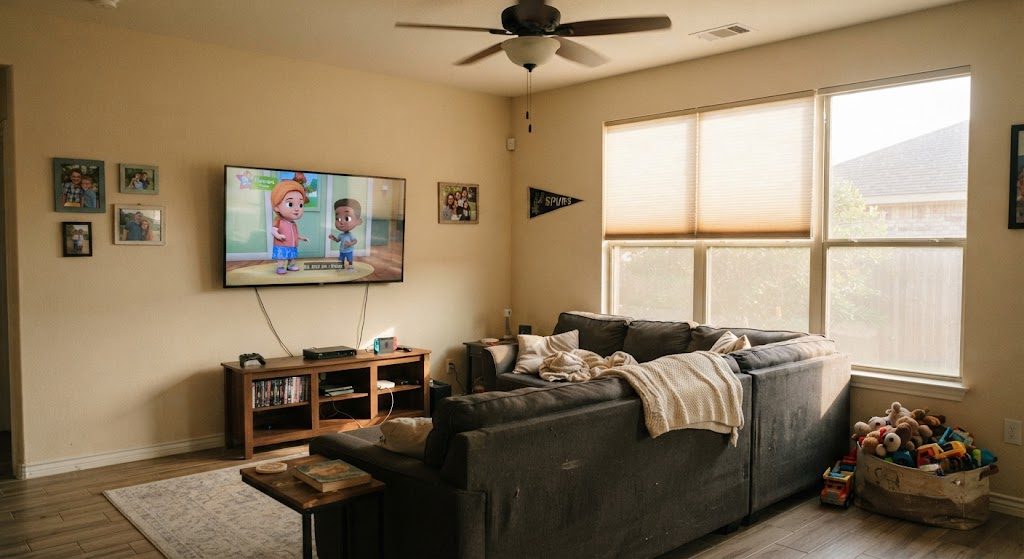
I've lost count of how many clients have shown me a photo of a living room where the television is hidden behind a sliding barn door, a motorized lift cabinet, or — my personal favorite — a framed canvas print that swings out on hinges like a speakeasy door. They always say the same thing: "I don't want the TV to be the focal point."
Here's the truth: if you watch television in your living room, the TV is a focal point. It's a big black rectangle that you stare at for hours. Hiding it doesn't change that — it just makes you open a barn door every time you want to watch the news. And when you leave it open, which you will, the whole contraption looks worse than if you'd just mounted the TV on the wall and moved on.
You can design a good-looking living room around a television. You just have to stop pretending it isn't there.
Where the TV Actually Goes: Wall Choice and Viewing Height
Pick the Wall Without Windows First
The ideal TV wall has no windows on it and no windows directly opposite. If the only available wall faces a west-facing window, you'll fight glare every afternoon — and no, your TV's brightness setting won't fix it. In that case, plan for blackout-capable shades on that window, or pick a different wall.
If you're putting the TV above a fireplace, we need to have a different conversation. That's a whole article by itself, but the short version is: don't, unless you have no other option. Heat rises. Necks crane. It's the most common layout mistake I see.
Mount It at Eye Level from Your Seated Position
The center of the screen should be roughly 42 to 48 inches from the floor — right around eye level when you're sitting on a standard sofa. I've walked into living rooms where the TV was mounted so high it looked like an airport departure board. If you have to tilt the mount downward, it's too high.
Screen Size vs. Sofa Distance: The Rule That Prevents Eye Strain
There's a simple ratio I use on every job: measure the distance in inches from the screen to your main seating position, then divide by 1.5. That's your minimum screen size. Divide by 2.5 for the maximum that won't overwhelm the room. So a sofa 10 feet away — 120 inches — works with a screen between 48 and 80 inches measured diagonally. That covers most living room setups.
Bigger isn't always better. A 75-inch TV three feet from your face is a recipe for headaches and neck strain.
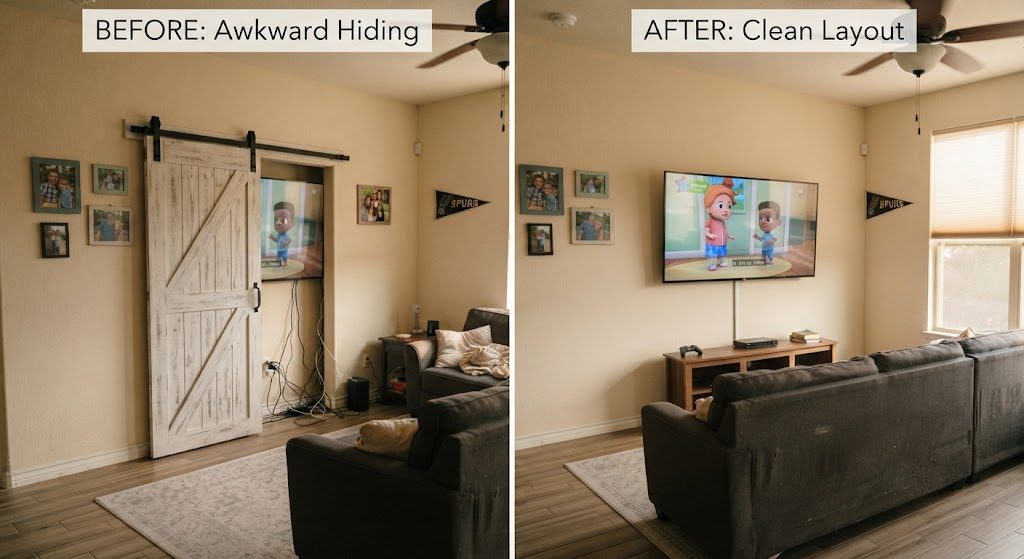
Arrange Your Seating Around the Screen, Not the Other Way Around
If the TV is the main activity in the room, the primary sofa needs to face it directly. Not perpendicular, not angled toward a conversation grouping — directly. I don't care what the furniture showroom diorama looks like with two sofas facing each other. Nobody watches a movie sitting sideways.
Secondary seating — accent chairs, a loveseat — can angle in from the sides. But if someone has to turn their head more than 30 degrees to see the screen, that seat won't get used. Put a reading lamp there instead and call it a reading chair.
Glare: The Layout Killer You Can Fix Before You Hang the TV
Before you mount the bracket, look at the windows. Where does the sun come in during the hours you actually watch TV — evenings after work, weekend afternoons? If sunlight hits the screen, you've got two choices: move the TV to a different wall, or install window treatments that can kill that glare when you need to. I covered that in detail in the window treatment article. Go read it before you punch holes in your drywall.
A television is not a design problem to solve. It's a function of the room, same as the front door, the air vent, and the floor. Design around it with some honesty, and you'll end up with a living room that actually works when you sit down at the end of the day.


No comments yet — be the first to share a thought.